How to Draw Foreshortening: Avoid Shrinking Limbs with PoseMyArt
When you’re drawing a dynamic or high-energy pose and the arm pointing at the camera looks like a weird, shriveled stump, you might be wrestling with the dreaded “Shrinking Limb” syndrome.
Don’t worry, you’re not alone. Even as an artist with years of drawing and experience under my belt, foreshortening is a concept I struggle to apply to my own drawings.
Foreshortening is one of the most difficult skills to master because we have to find a way to ignore what we “know” about anatomy. An arm may usually be depicted as a long limb, but when we translate that into the basic shapes artists use to draw, it’ll probably look like an abstract mix of overlapping circles or squashed shapes.
If you’re tired of trying to figure out why your drawings might feel anatomically “off” when a character reaches or kicks toward the camera, here is how PoseMyArt can help you fix it with a reliable foreshortening reference.
The Problem: Why Does Foreshortening Look So Hard?
Our brain’s instinct is to draw the full length of a limb. This is the main reason that we fail at foreshortening.
When we try to force that length into a perspective shot when we don’t have a good reference, it’s easy to mess up the proportions and end up drawing a “shrunken” limb.
The internet can be a treasure trove of static photo references, but it can also be impossible to find the exact camera angle you need, especially for a model type that fits a specific character.
The “weight” of your character’s pose can get thrown off without a clear 3D guide. Instead of a lunge forward, straight at the viewer, their pose may look like they are reaching sideways instead.
The PoseMyArt Solution: Seeing in 3D
Here are the key features you’ll need to know start creating your foreshortened model on PoseMyArt.
Variety of 3D Models
While having a realistic reference is handy when you need to visualize exactly what a certain foreshortened pose looks like, you can deepen your understanding with the Blocky Bot Models, Mannequin Models, or the Skeleton Models.
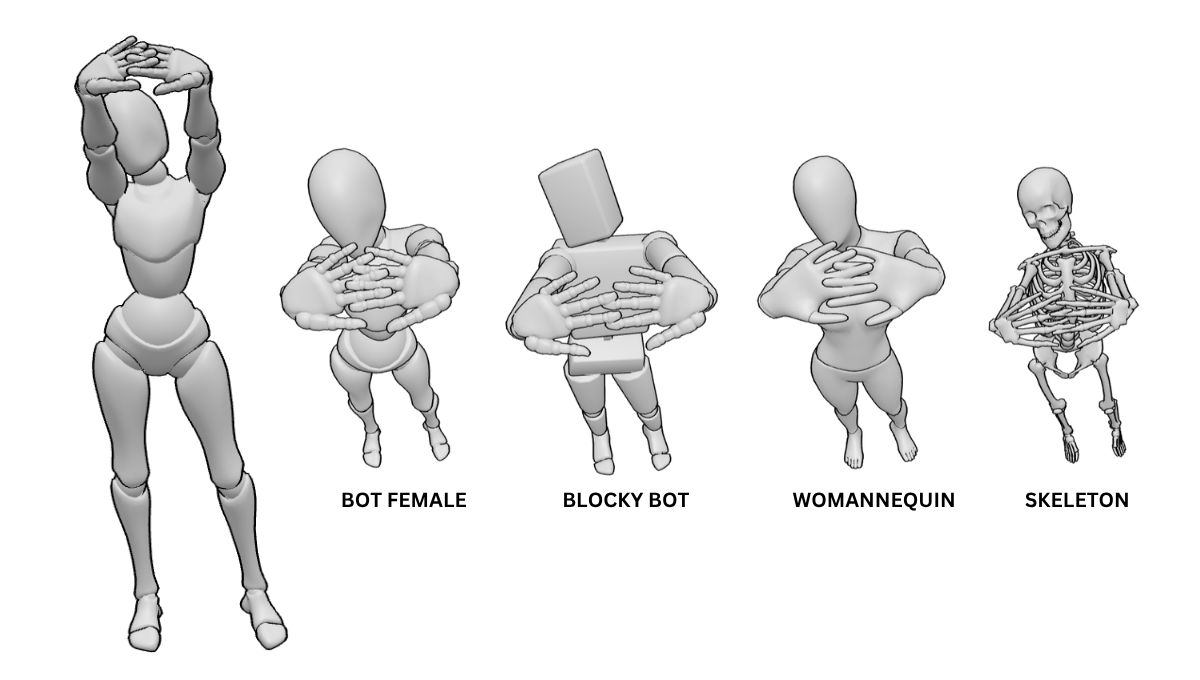
For example, we can compare the usual front view of this pose, where the limbs are stretched out, versus the same poses viewed from a foreshortened angle.
Real-Time 3D Model Manipulation
With PoseMyArt, you don’t need to do any guesswork since you can manipulate a 3D model in real-time. The app allows you to tweak the joints, turn a head, or bend an arm or leg exactly how you need it angled.
The manipulation points appear when you click on a specific model. Clicking on specific manipulation points will bring up “rings” that you can use for joint and limb rotation.
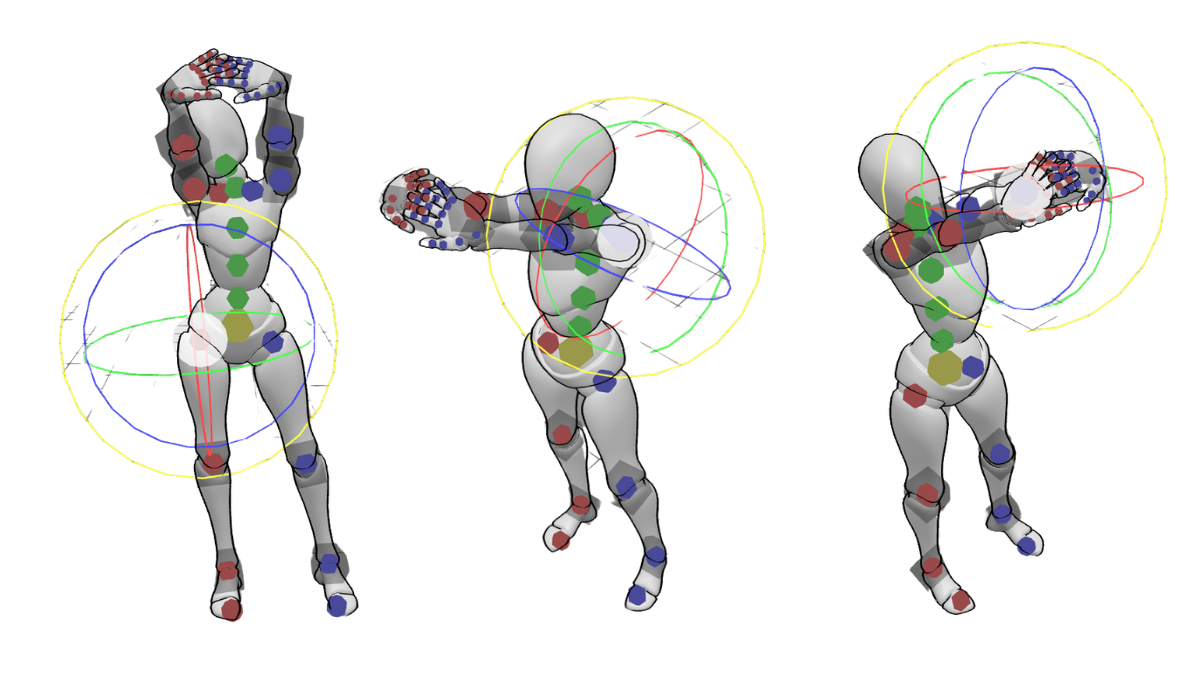
Other model manipulation tools you can explore are: Scale, Switch Pose Sides, Save & Load Pose, and Hand Poses.
Pre-Made Poses and Scenes
Don’t worry, you don’t need to create a pose completely from scratch. If you’re unsure where to start, you can load up a pre-made action pose or scene complete with character props. Adjust and perfect from there.
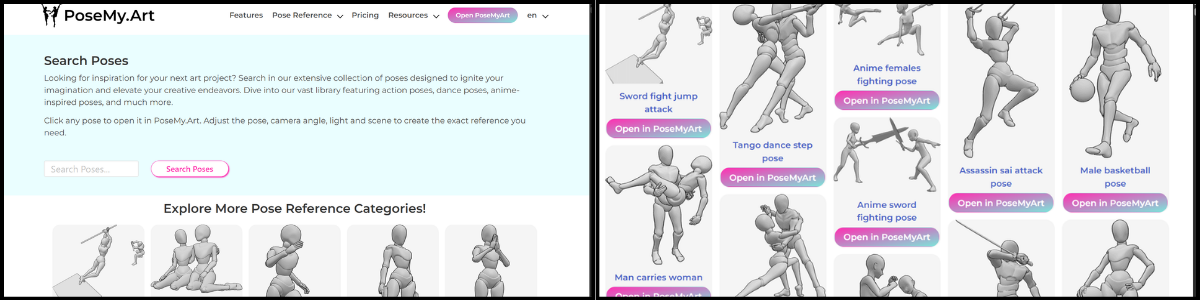
There are many sources you can access both within the app and around PoseMyArt’s website. Be sure to explore the website’s Pose Reference Library, you can search for specific poses or even browse various categories.
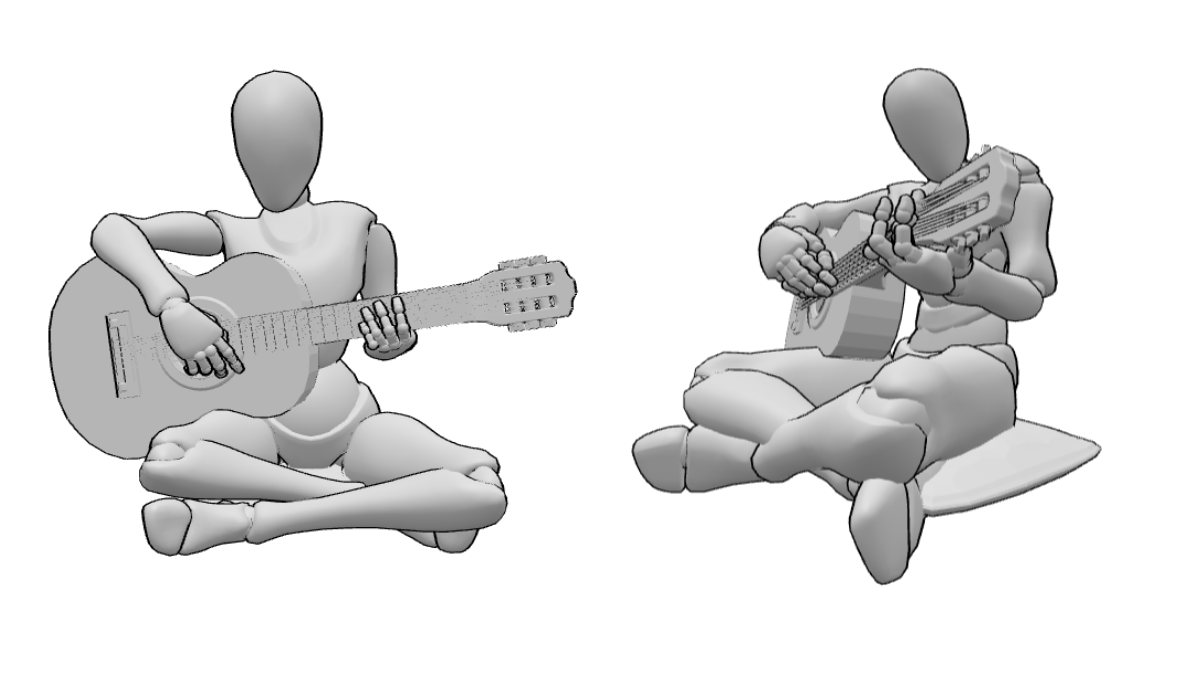
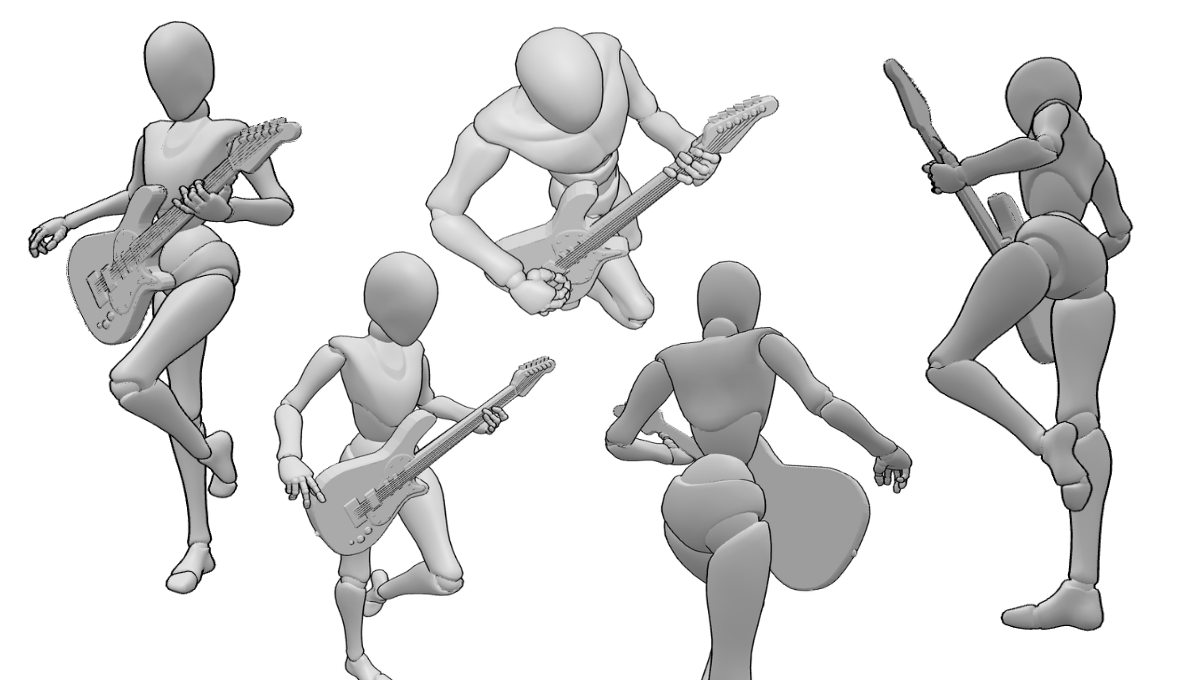
When making your pose, it may be the arms or legs that need to be foreshortened, sometimes, even the torso when the pose is taken at an angle where all the basic shapes are stacked on top of one another. It can also be the props, like this guitar, that become “squished”.
Animations
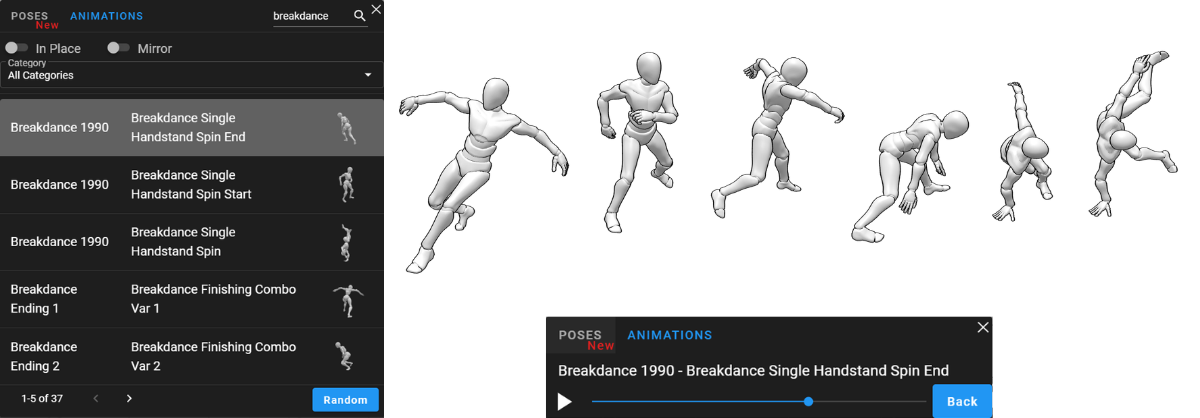
You can also try out the animations feature of the app. Scrubbing through the movement will help you see how the action progresses from start to finish. You can pause at the exact moment when you feel the pose looks most impactful.
If you want to understand or study the breakdown of shapes, these models can help you visualize the forms underneath.
Once you’ve perfected your pose, you can move on to the next crucial step, working with the camera. Now you can move, angle, and zoom the camera to the perfect position.
Using the Camera to Fix Flat Drawings
The 360-degree camera in PoseMyArt is a game-changer for solving the artist’s dilemma of perspective. Another one of the most powerful tools you can use to make a more dramatic or extreme perspective pose is the Field of View (FOV) slider.
Sometimes, a standard camera shot doesn’t cut it. It can look a bit flat. By using a wider FOV, you can exaggerate a limb that is closer to the camera, making it look like it has energy behind it, giving it the illusion of force.
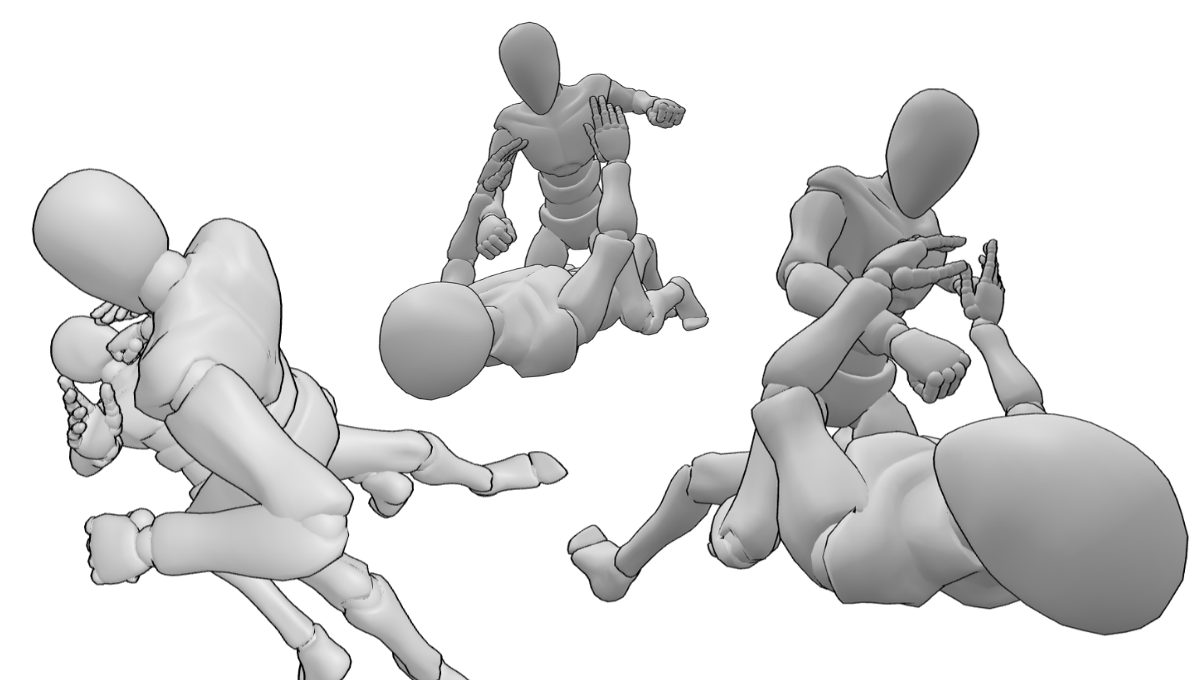
By rotating the model and flying the camera around your posed model, you can find the most dynamic angle possible. This is definitely something you can’t do with a simple static photo reference taken from an image search.
Here are a few samples that use the same base pose, but shows shots taken from different angles and zoom distances. You can capture these shots with Take Screenshot under the Camera icon, or Export features.
Integrating PoseMyArt into Your Workflow
Beyond creating perspective pose references in the moment, there are other features to take note of to better integrate PoseMyArt into your workflow.
Saving Complex Scenes
It can take time to get models posed precisely and to set them up with the props and objects that help flesh out the scene. When you’ve completed it, you can fly the camera around to the POV you need and even take multiple shots from different angles and distances.
If you suddenly run out of time to work on that scene, or have to close the app, don’t worry, you can save it and open (load) it up later.
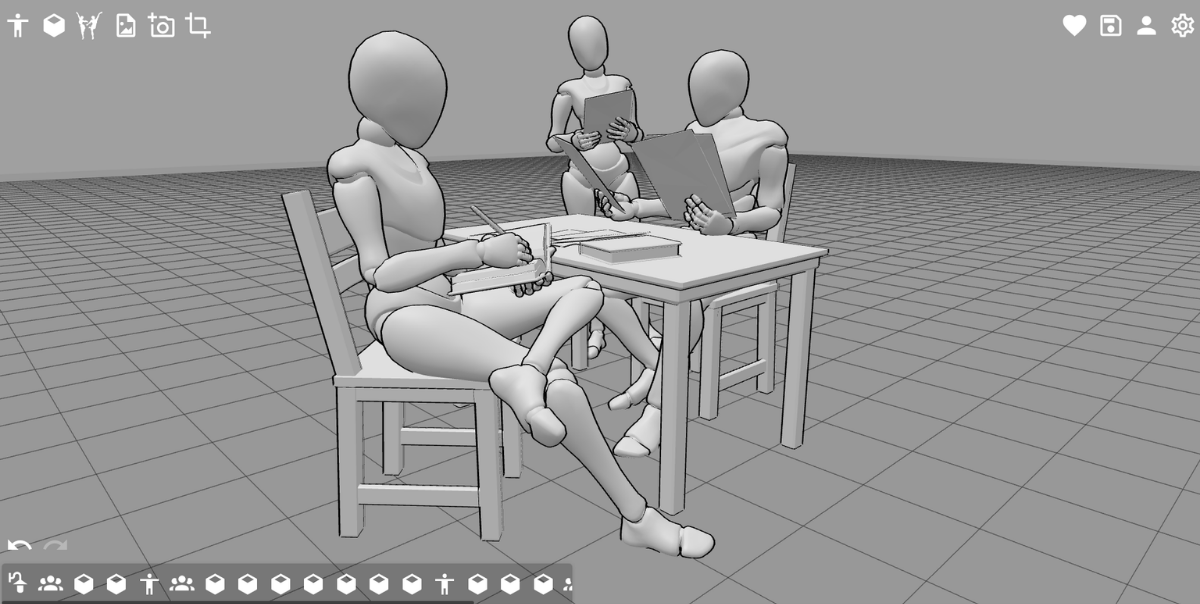
This way, you don’t have to repeat the whole process, testing and retesting poses and prop placement from scratch. By being able to get your perfect reference faster, you can move on to the fun part and start drawing.
Export as .OBJ
If you work with other 3D software, you can export complex poses and scenes from PoseMyArt as .obj files. This lets you bring your perfectly foreshortened reference into professional software.
When you’ve crafted the perfect base on the PoseMyArt app, you can now go all out on software like Blender or CSP and make a fully detailed 3D masterpiece.
Final Thoughts
Foreshortening doesn’t have to be a source of frustration that stops you from drawing dynamic scenes and foreshortened poses. These are just a visual puzzle that become easier to understand and solve when you have the right tools to visualize them.
By using PoseMyArt to help bridge the gap between your imagination and the canvas, you can focus on the fun part of actually drawing and creating rather than getting stuck on technical anatomy.
Remember, every great artist uses references, and you can use PoseMyArt to make that process faster.
Next time you feel a limb “shrinking” on your page, you can pop into the app and create that perfect reference from the perfect angle to bring your character to life.
If you want to read more about drawing dynamic poses, you can check out this article- Stop Drawing Statues: A Guide to Mastering Dynamic Poses.
Or if you need an overall toolkit for PoseMyArt, you can go to The Ultimate PoseMyArt Toolkit: Discover Every Feature for Flawless Posing to learn about each and every feature on the app.