Let’s be real: trying to fit more than one person into a drawing is one of the biggest headaches an artist can deal with. Whether you’re working on a comic page or a big group commission, a “multi-character composition” is way more than just sticking characters side-by-side.
It’s all about telling a story and making the space feel alive. In this guide, we’re going to look at how to master your scene setup for any group size, drawing from my 20 years of experience as an artist to help you skip the frustration.
The different tools and features from the PoseMyArt app discussed in this article are also linked to their section in our toolkit article to help you out.
- Why Most Group Drawings Fail (The “Lineup” Trap)
- 1. Pick a Spot for the Eye to Land
- 2. Setting Up by Group Size
- 3. The Magic of Overlapping
- 4. Master Lighting and Shadows
- 5. Don’t Let Perspective Bully You
- 6. Staying Organized in the Workspace
- 7. Pro Workflow: Taking It Further
- Summary: Key Features for Group Scenes
Why Most Group Drawings Fail (The “Lineup” Trap)
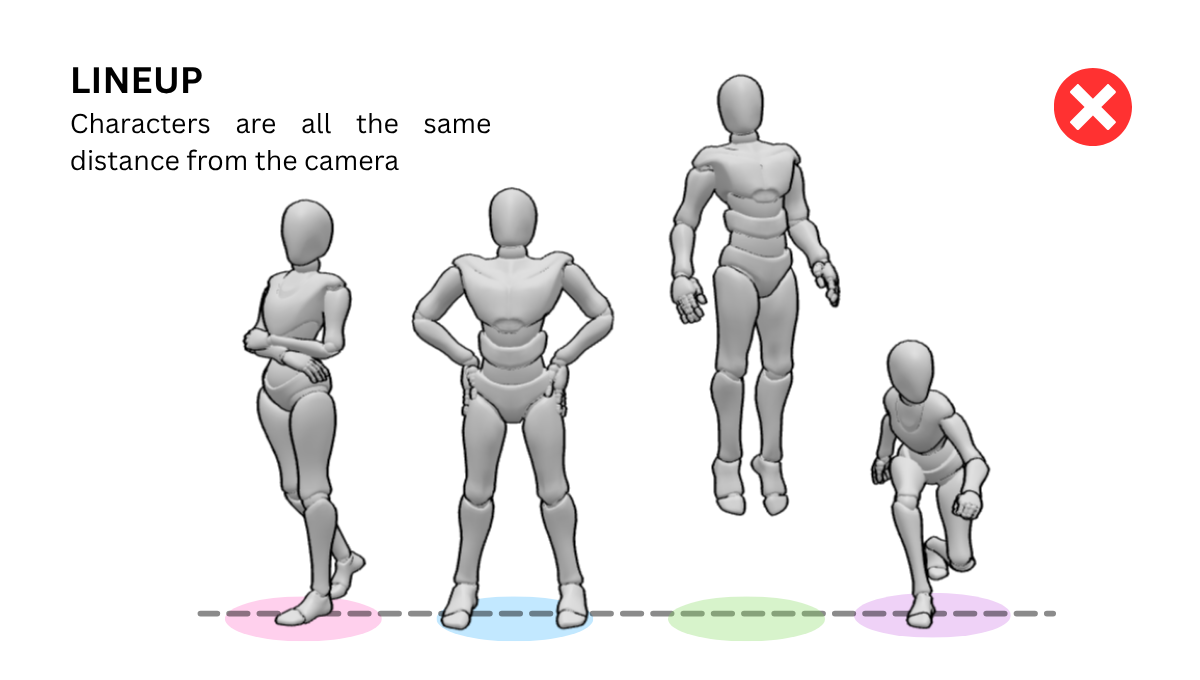
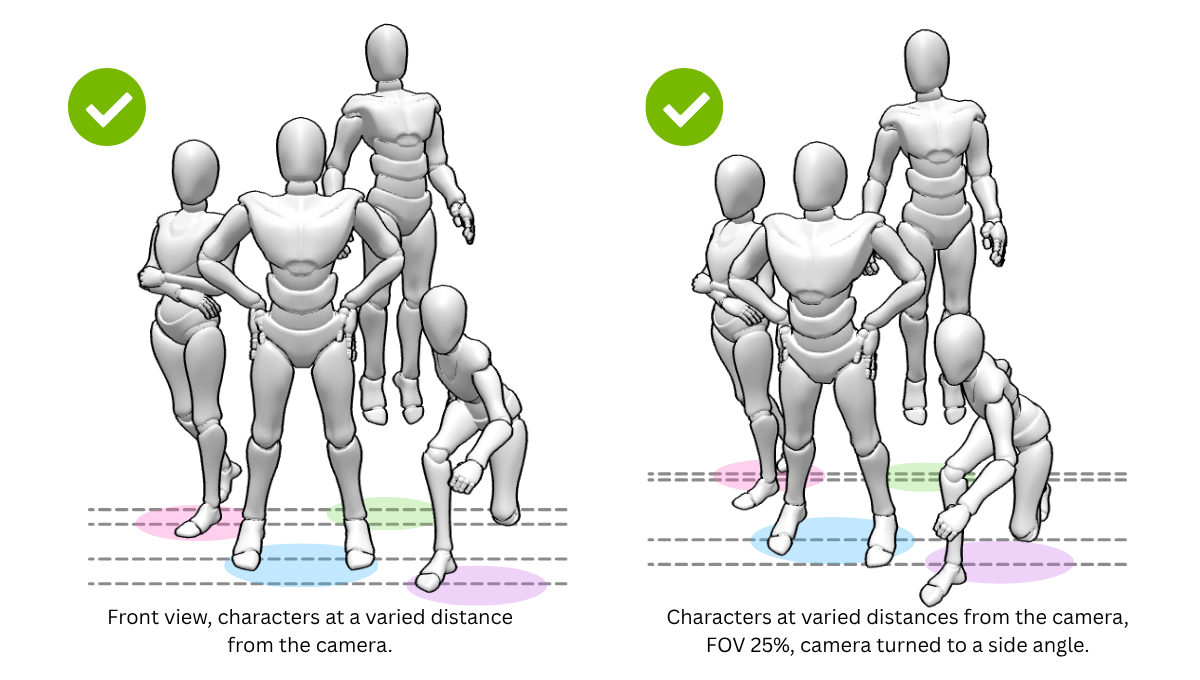
Before we dive into the solutions, we have to talk about why these scenes are so hard to get right. In my experience, many artists fall into the trap of drawing every character at the exact same “camera distance,” which makes the piece look like a flat police lineup.
While the lineup style of composition does work for specific drawings like character reference sheets, it usually shouldn’t be applied to every piece. When I draw, I’ve found that if characters aren’t interacting or overlapping, the image loses its “story” and feels like a collection of separate stickers.
Understanding how to break this grid is the first step toward professional-level art. By learning to layer your subjects, you create a much more immersive experience for your audience.
1. Pick a Spot for the Eye to Land
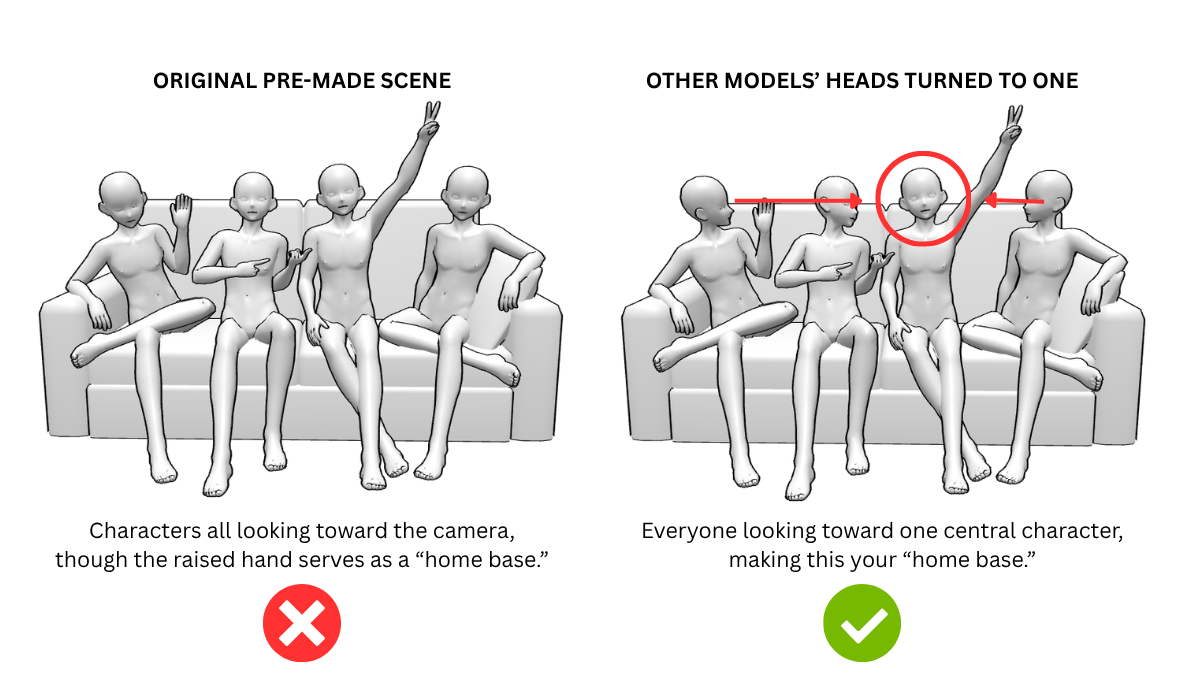
When you’ve got a crowd, your viewers’ eyes need a “home base” so they don’t get overwhelmed. As an artist with years of experience, I’ve learned that without a clear focal point, the whole image just feels like a mess of limbs.
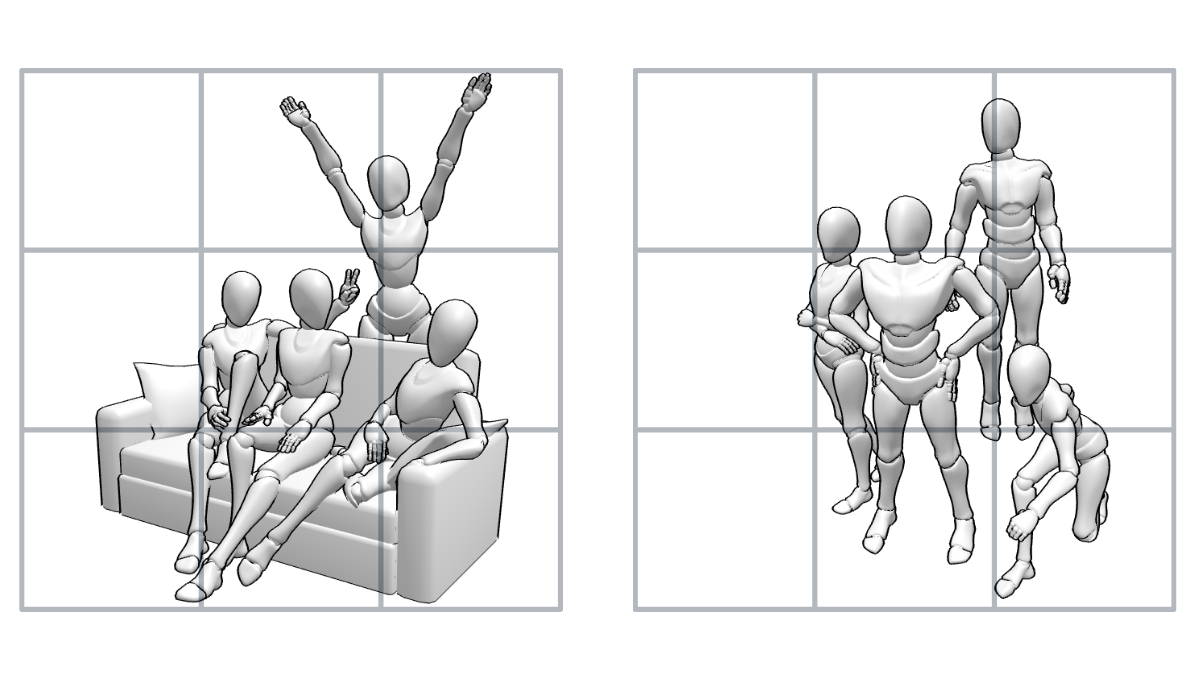
Try using the Rule of Thirds or have your background characters literally look at your main hero. You can also use contrast—if everyone is sitting down but one person is standing, that’s who we’re going to notice first.
In PoseMyArt, the app allows you to easily move around models, so you can adjust their placing to better fit the rule of thirds.
You can also force this focus by manually adjusting the head and neck joints of your background characters to point their gaze toward your focal point. I also suggest playing with the Field of View (FOV) settings; a lower FOV can help compress the scene and keep the viewer’s attention right where you want it.
2. Setting Up by Group Size
Depending on how many characters you’re juggling, your strategy changes a bit. Here is how I handle different compositions when working on professional commissions:
-
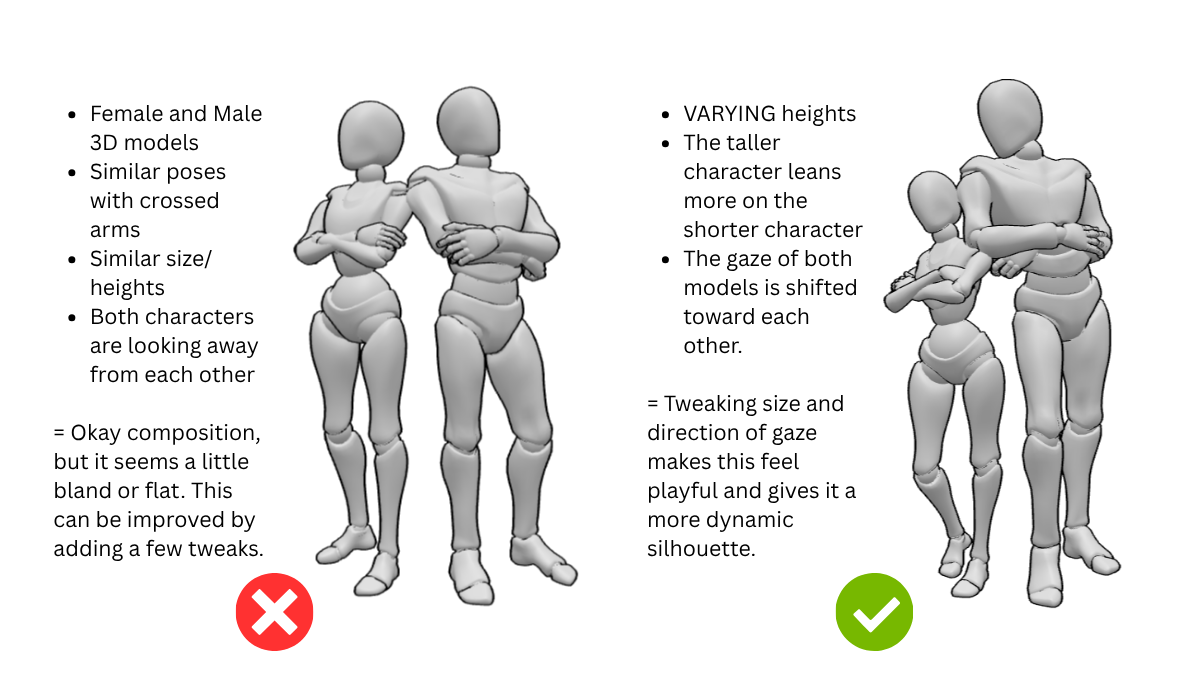
Two Characters (The Dynamic Duo): Keep them close or have them facing each other to create a connection. I always try to vary their heights or poses to keep the silhouette interesting.
-
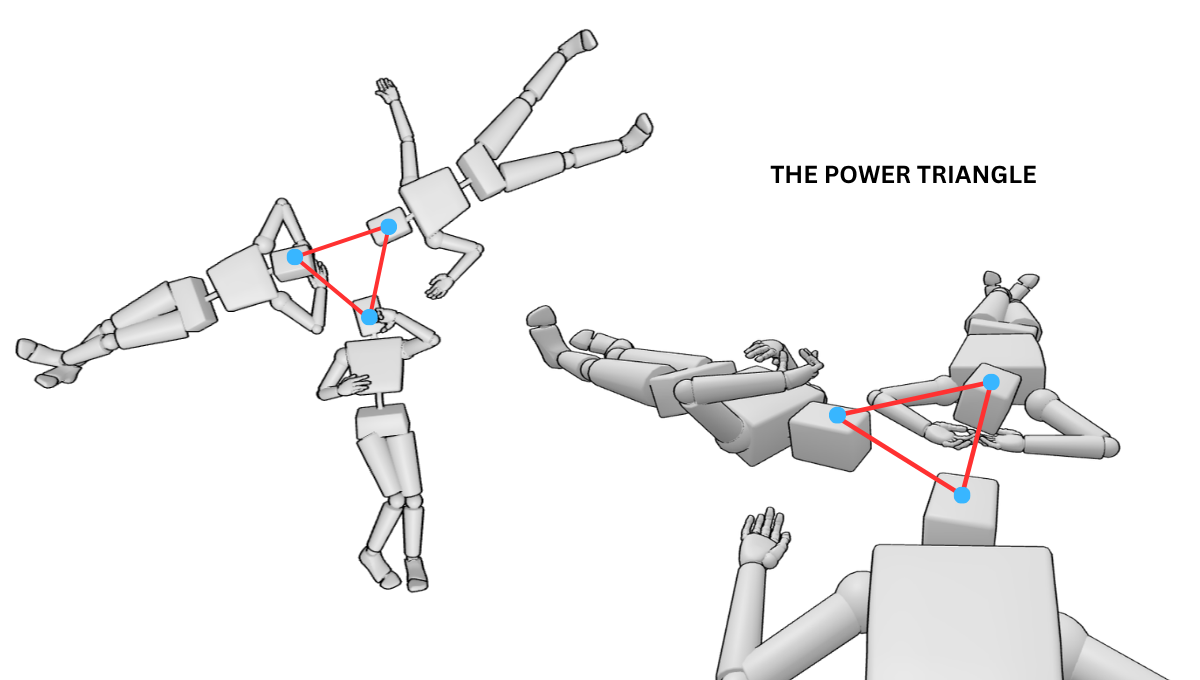
Three Characters (The Power Triangle): Arrange them in a triangle shape to keep the eye moving. Placing one character slightly higher or further back than the others creates an easy sense of depth.
-
Four or More (The Flowing Crowd): Avoid straight lines at all costs! Use an “S-curve” or a “Z-shape” to weave the characters through the frame, grouping some together while leaving breathing room for others.
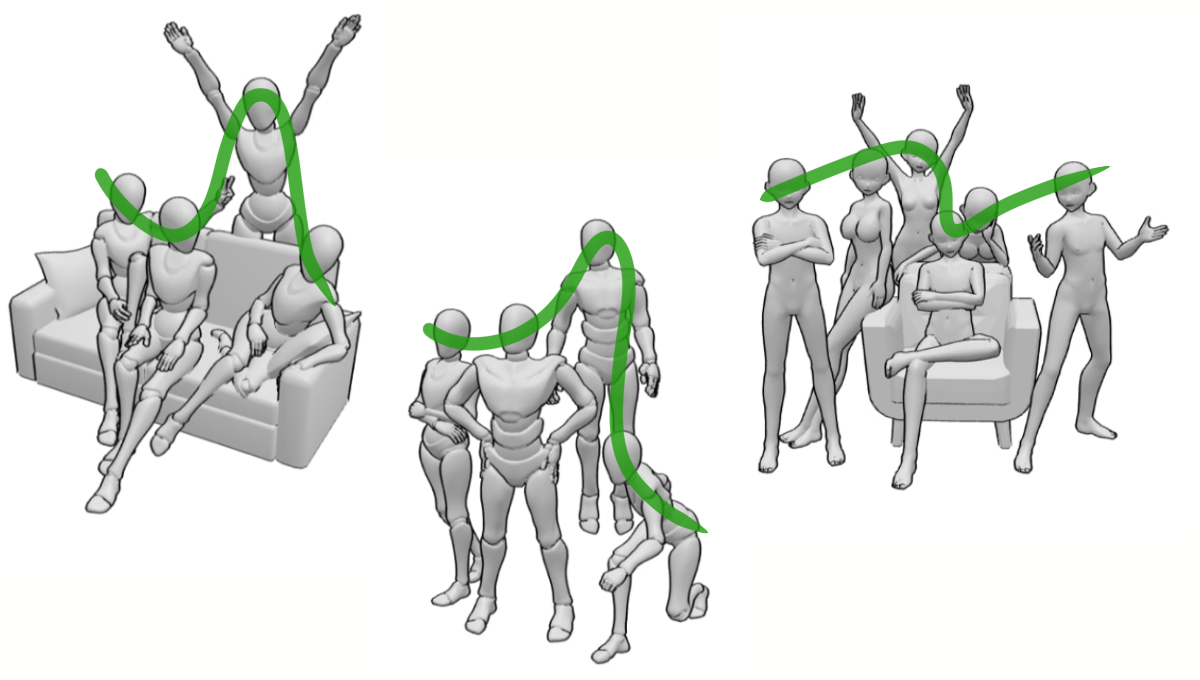
If you are struggling to visualize these shapes from scratch, the PoseMyArt app has a massive library of premade scenes to get you started. These include everything from simple duos to massive groups of six or seven characters already arranged in dynamic layouts. It is a fantastic way to see these composition rules in action before you start tweaking the poses to fit your specific vision.
3. The Magic of Overlapping
A super common mistake is drawing everyone standing perfectly apart, which looks pretty stiff. To make things feel natural, you’ve got to let your characters overlap.
In my experience, having one character partially block another instantly creates a sense of 3D space on your flat canvas. It also shows us how they feel about each other—leaning in looks friendly, while backing away shows things are a bit tense.
You can easily experiment with these depths in the PoseMyArt app by dragging your models along the Z-axis to see how they look when layered. If things get too crowded, I recommend using the Hide/Show toggle (the eye icon) in the model list to temporarily hide foreground characters, making it easy to keep track of limbs that are hidden behind them.
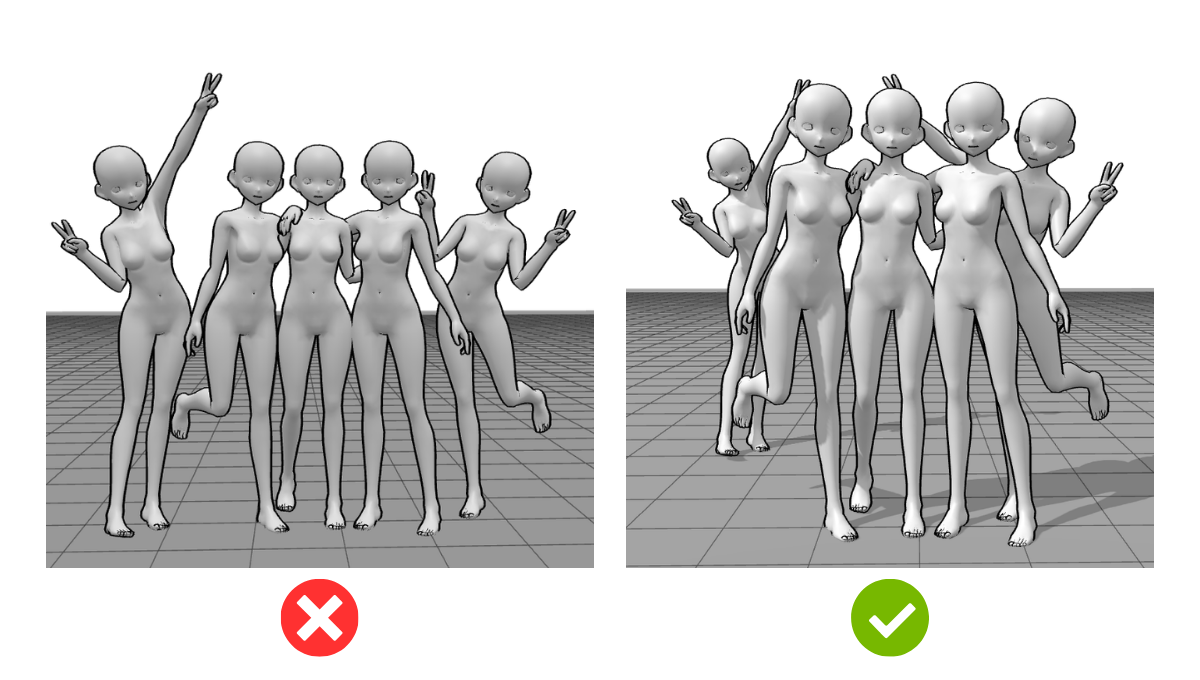
For example, we have your usual lineup of characters in a cute group pose. Yes, it’s cute. But by simply moving the two outer characters along the z-axis (forward or backward) and tweaking their poses a little bit, it seems a bit livelier and there seems to be a story.
Maybe the friend on the right is a little shy and wants to stand a little behind the rest. The character on the left may be a friend who decided to photo-bomb.
4. Master Lighting and Shadows
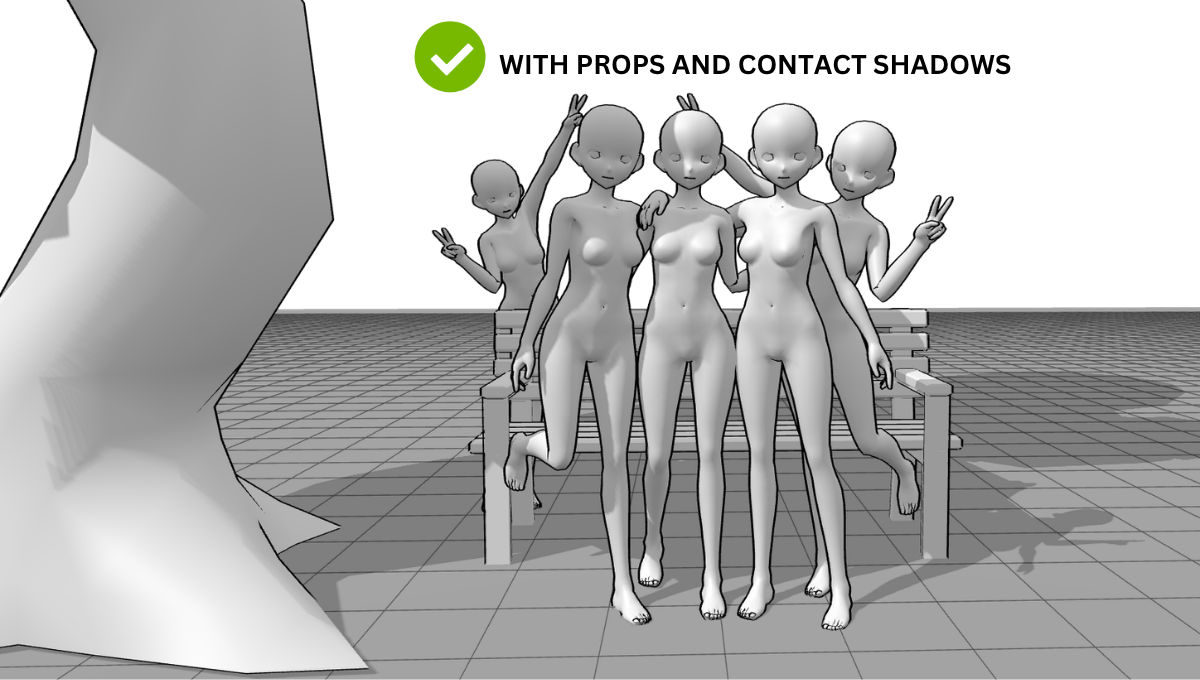
One of the hardest things to draw by hand is a “contact shadow”—the shadow one person casts onto another. If you don’t get this right, your characters will look like they are floating in different dimensions.
Imagine a scene where a character is sitting on a 3D prop like a bench or standing next to a large pillar. Without seeing how the character casts a shadow onto the prop, or how the prop’s shadow falls across the character’s legs, the whole scene feels disconnected.
When I’m setting up a scene in PoseMyArt, I turn on the shadows toggle under settings to observe exactly how different models and props cast shadows on each other. You can even use the directional light feature to manipulate light intensity and direction, giving you a perfect reference for where those darks and lights should hit.
Let’s take the previous group pose and try to turn on the shadows toggle. The addition of shadows adds a better sense of depth to the whole scene. By adding a prop like a tree and bench, you add other shadows and points of reference for depth in a scene.
5. Don’t Let Perspective Bully You
Eyeballing perspective with multiple characters is a nightmare even for seasoned artists, but the PoseMyArt app allows you to turn this technical struggle into a simple drag-and-drop process. By placing your models in the app’s 3D space, you can instantly see how they scale relative to one another as you move them closer or further from the camera.
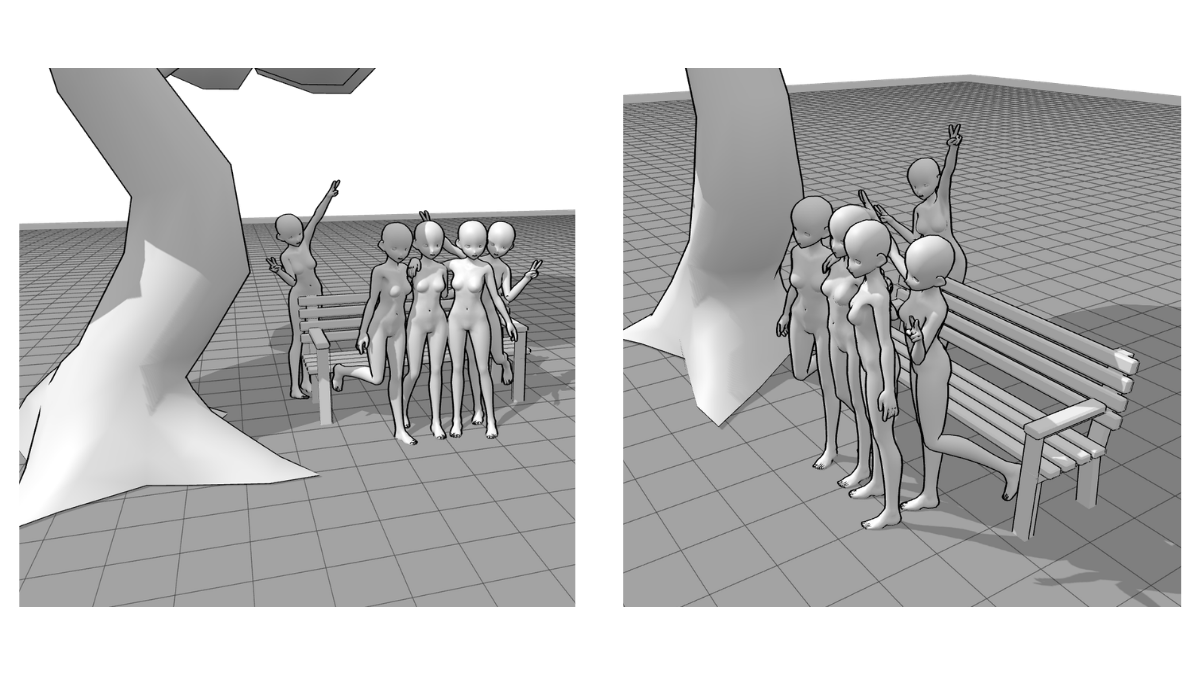
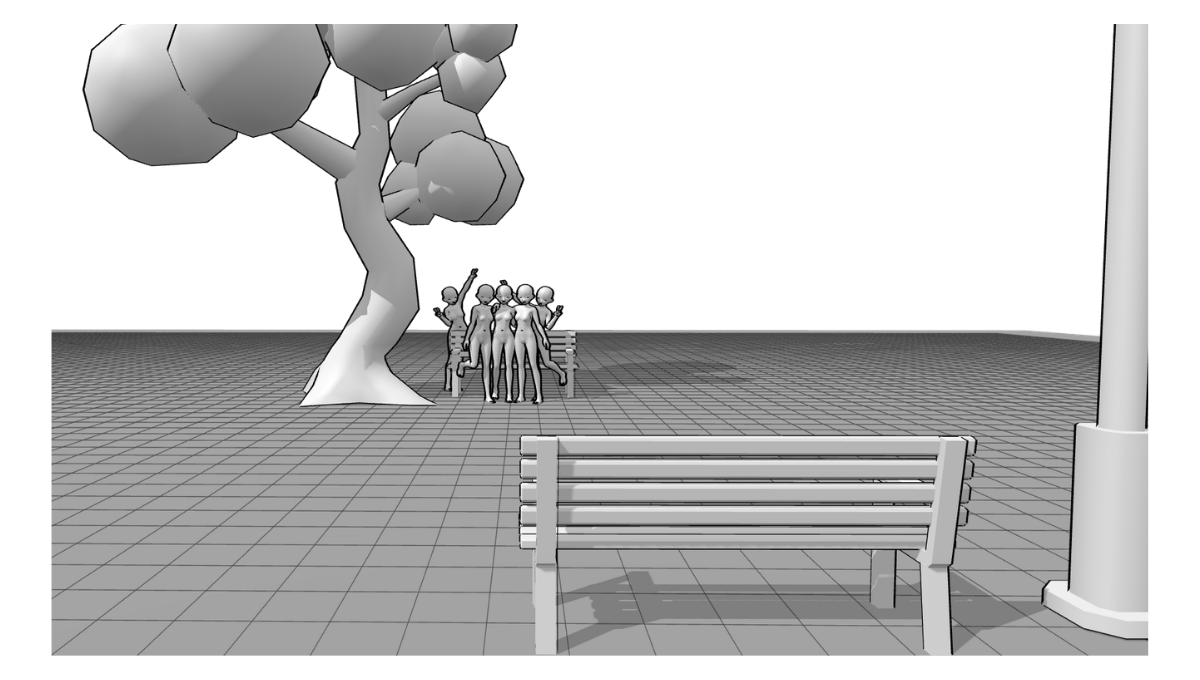
I always recommend populating your scene with 3D Props like furniture or accessories to act as spatial anchors. This ensures your characters aren’t “leaning on thin air” and look perfectly grounded within their environment.
You can see how by adding a bench, our photo-bomber seems more apart from the original group. If you zoom out, another bench and the post beside it gives an even better sense of distance and depth. One scene with the same models and props can give you many different compositions depending on the perspective.
6. Staying Organized in the Workspace
The PoseMyArt app handles the technical heavy lifting, but when you’re managing five or six characters at once, things can still get a bit hectic. Here are a few ways the interface helps you stay in control of a complex composition:
-
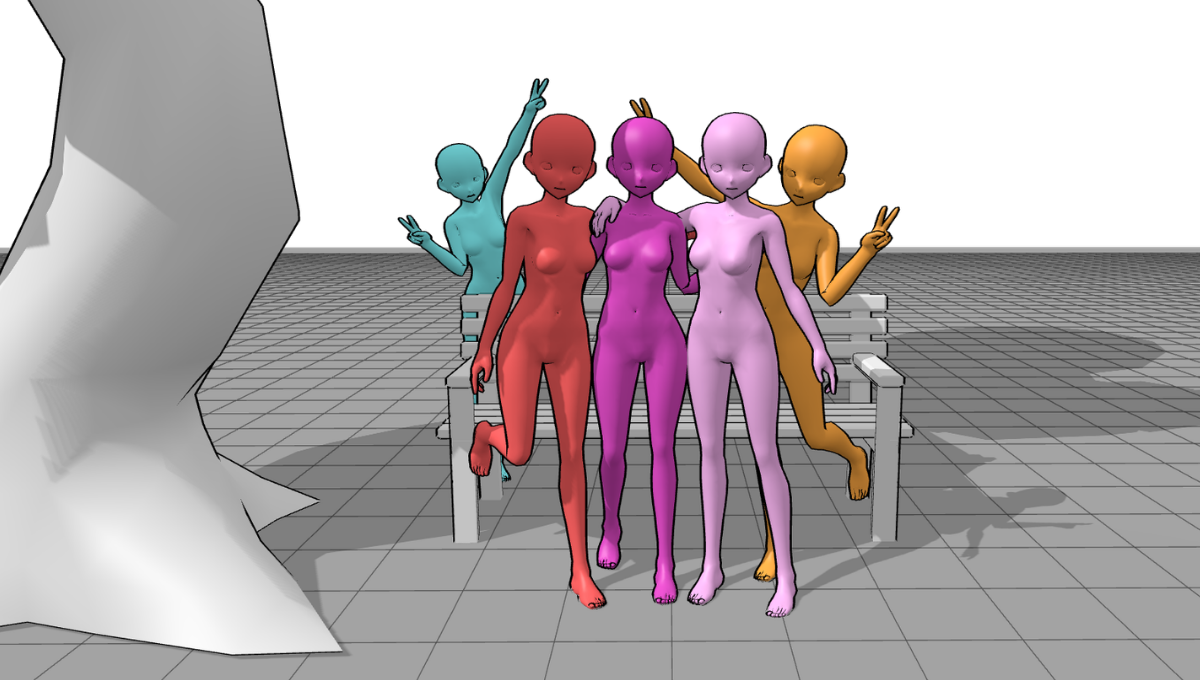
Color Coding Your Cast: I often change the color of each model in my workspace to keep the figures distinct. This simple trick prevents you from getting lost in a “mess of limbs” and helps you identify which arm belongs to whom while you sketch.
Your key tool/ feature: Color (Palette Icon)
-
Precision and Scale: Because you can move models freely, it’s easy to ensure someone’s hand isn’t accidentally sinking into another model’s head or a prop. You can rotate around the scene in real-time to check every angle for these “collision” errors.
-
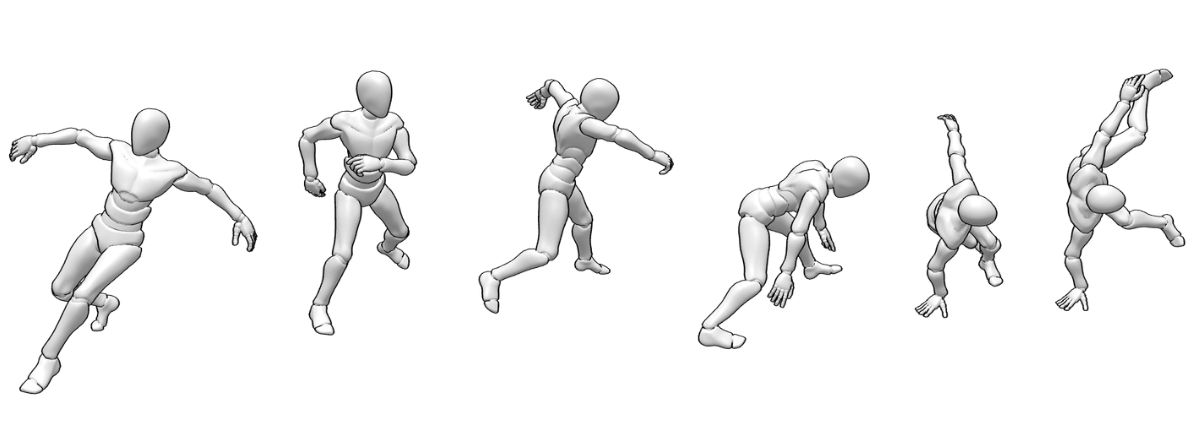
Using Animation for Natural Poses: Sometimes a static pose feels a bit too “posed.” I like to browse the animations feature—seeing a model move through a nodding gesture or a kick can give you a much more natural, mid-action frame to use as your reference.
Your key tool/ feature: Animations
7. Pro Workflow: Taking It Further
For those of you doing professional commissions or complex projects, PoseMyArt has some high-level tools:
-
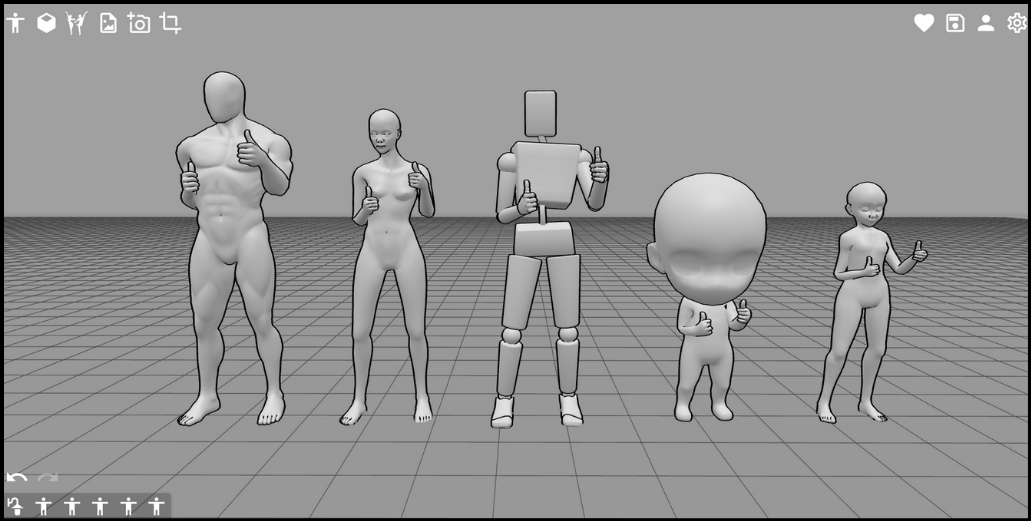
Diverse Cast Layouts: Mix Realistic, Anime, and Blocky models to visualize different body types immediately. This ensures your group doesn’t suffer from “same-face syndrome.
-
Save and Refine: If you’re using the premium version, you can Save your Scene to file. This lets you treat your 3D setup like a living reference you can reopen and rotate whenever you need a fresh angle.
-
Advanced Exports: For the tech-savvy artists, you can export your entire scene as an OBJ file. You can then pop that into software like Blender to calculate even more complex lighting effects.
Summary: Key Features for Group Scenes
To recap, here is how PoseMyArt solves the most common group composition hurdles:
-
Premade Scenes: Skips the initial setup fatigue by providing dynamic layouts for up to seven characters.
-
Z-Axis Manipulation: Allows for easy overlapping and depth creation without manual perspective calculations.
-
Hide/Show Toggle: Keeps your workspace manageable when characters are layered closely together.
-
Shadows & Directional Light: Provides an accurate reference for contact shadows between models and props.
-
3D Props: Serves as spatial anchors to ground your characters and ensure believable scale.
Final Thoughts: Take the Challenge!
Setting up a multi-character scene doesn’t have to be a struggle if you focus on the right things. Remember to pick a clear focal point, use overlapping to create depth, and ground your cast with realistic shadows and spatial anchors.
Throughout my career, I’ve found that the best way to learn is by doing. Why not try building a three-person scene today using a Premade Scene as your base to test out these composition rules?
By mixing these traditional art rules with the technical power of the PoseMyArt app, you can stop fighting with perspective and start focusing on your unique style. Use PoseMyArt to organize your next complex composition and see how much faster your drawings come together!
Do your group compositions feel alright, but still feel a little flat? Try checking out our guide on How to Avoid Flat Drawings: Bring Your Art to Life with PoseMyArt to add even more depth and realism to your art!
If you need some help mastering the tools and features available on PoseMyArt, you can also take a look at The Ultimate PoseMyArt Toolkit: Discover Every Feature for Flawless Posing.